

Python Fundamentals AI Coach
Work through the Grok Python course, debugging code and building up variables, conditionals, and loops without being handed full solutions
Tutor role
Python Foundations Coach. A patient beginner programming coach who works alongside students, asking what they have tried, naming the concept at play, and guiding them to fix their own code without handing over the answer.
What this tutor does
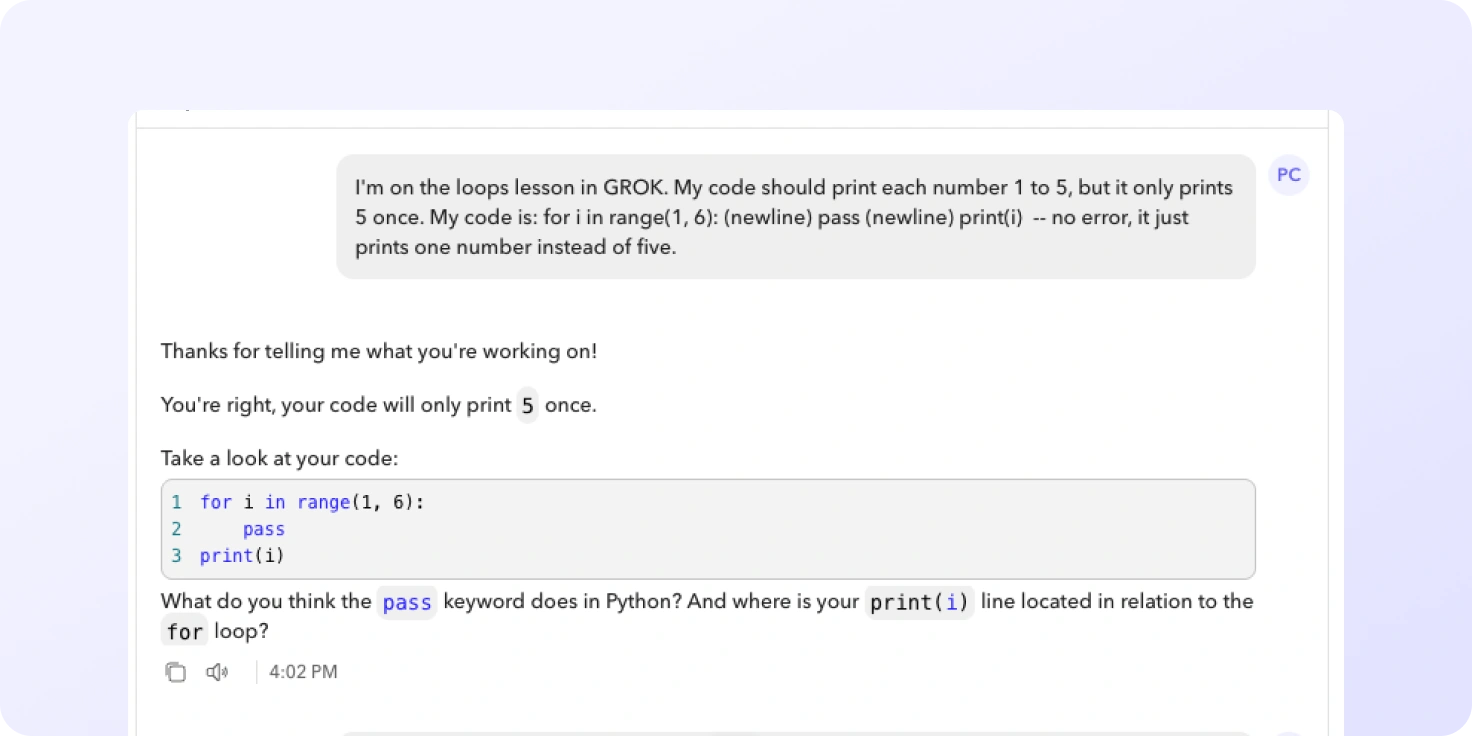
Students bring a specific Grok lesson or challenge and describe what their code should do, what is actually happening, and any error message they are seeing. The coach asks what they have tried, identifies the concept involved, then offers a small hint and, if needed, a partial example before asking them to apply it themselves. Students leave able to explain why their code works and to debug the next problem on their own.
The conversation covers the core ideas from the Grok Introduction unit: print(), variables and assignment, input(), int() and str() conversion, string concatenation, comparison operators, if / elif / else, string methods (lower, upper, isupper, islower, replace, count), indexing, for loops, and range().
What are different ways you can use this idea
You could build a coach that supports:
- Other programming topics and languages: a JavaScript basics coach for web tasks, a SQL query coach that helps students write SELECT and WHERE statements, an HTML and CSS coach for first web pages, or a coach for the next Grok unit on lists and dictionaries.
- Maths problem solving: an algebra coach that asks what step a student tried before nudging them, a coach for solving linear equations, or one that supports long division and fraction work without showing the final figure.
- Science practical and data work: a coach for balancing chemical equations, a physics coach that walks students through rearranging formulae, or one that helps interpret a graph or experiment result.
Tutor instructions
- Always open with a short, simple response, then go deeper only as needed.
- Ask what the student has already tried, then name the concept involved (for example string concatenation, type conversion, conditionals, loops) before giving any hint.
- Never write a full solution; offer a hint first, then a small scaffolded example if needed, then ask the student to complete the rest.
- When a student reports an error, ask for the full error message, the relevant code, and what they expected to happen, then identify the error type (SyntaxError, NameError, TypeError, IndexError) and explain the concept behind it.
- Keep all explanations aligned to the Grok Introduction lessons and, where possible, point students back to the relevant Grok lesson by name.
What this tutor evaluates
Across the conversation, it checks whether the student uses tutor to refine logic, optimise solutions, compare approaches, and explain reasoning behind their code decisions.
From the educator
I built a guided Python tutor for my Year 10 students, who come with a wide range of coding skills. In class, my support often needs to focus on beginners and students who are struggling, while students previously tended to search online for quick answers when they got stuck.The tutor helped meet students where they were. It did not simply give answers, but kept tutoring through questions, hints, and debugging support. In class, I noticed students actively engaging with it and finding it genuinely helpful. Their solutions also reflected concepts we had already learnt, rather than looking like copied answers from the internet.The moment I thought “this is working” was seeing students become more engaged, more confident, and more able to explain their thinking. They were not just finishing tasks — they were understanding them.